


CoreUniversity is our training platform with exclusive and personalized content for you!
How to access
As an MSP, you can access CoreUniversity through direct SSO login via PartnerApp/CoreView.
Your account on CoreUniversity will automatically be created upon your first SSO access.
Remember that to access via SSO, you must have an organization account. Follow the instructions provided below on this page. If you're unable to access, report the issue to your tenant admin.
You can access the platform through SSO login from:
- The “Documentation & Training” section in the Resource Center in PartnerApp

- The “Documentation & Training” section in the Resource Center in CoreView


The access will be done automatically!
If access does not occur automatically, you will be presented with the Microsoft 365 login form: there, enter your credentials to access CoreView as an operator/tenant admin.
Remember that to access via SSO, you must have an organization account. Follow the instructions provided below on this page. If you're unable to access, report the issue to your tenant admin.
Tenant admins can manage operator accounts under “Settings > Operators” by selecting an operator to access their profile. Here, they can check the “Use organization account” option.
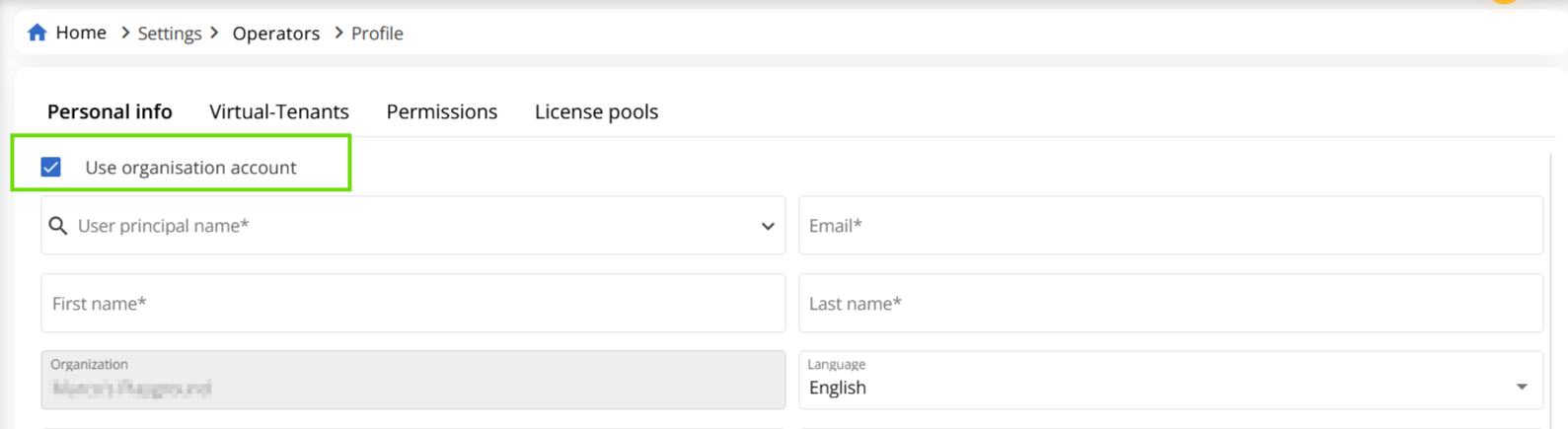
For more details, please refer to our How to migrate CoreView accounts to organization accounts article.
Where to start?
Once you are on the platform, access the “Welcome to CoreUniversity!” course. This course:
- explains how CoreUniversity works, what content is available and how courses are organized
- and how to navigate through the catalog
- answers some FAQs
